

Added
Show Validation Error Action
September 3rd, 2025
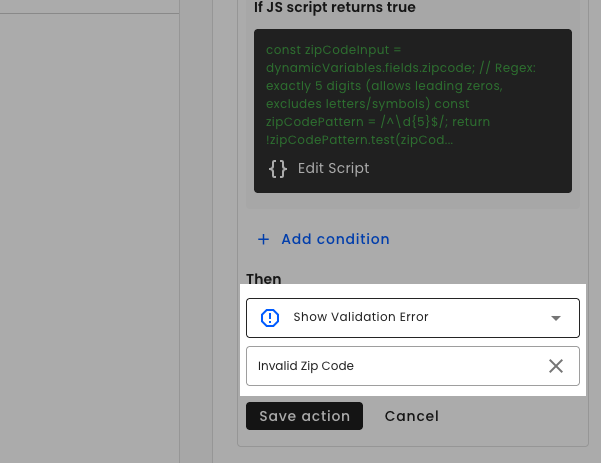
We've added a new logical action that lets you prevent survey respondents from moving forward when certain conditions aren't met. You can now create validation rules that stop users in their tracks and show them exactly what they need to fix.
What This Means for You
Control Survey Flow: Stop respondents from progressing until they meet your requirements
Custom Error Messages: Write your own helpful error messages instead of generic ones
Better Data Quality: Ensure users provide valid answers before continuing
Improved User Experience: Give clear guidance on what needs to be corrected
How to Use
- In your survey logic, add a new action and select "Show Validation Error" as the type
- Set your validation conditions (when this action should trigger)
- Write a custom error message explaining what the respondent needs to fix
- Save and test - respondents will now be stopped and shown your message when conditions aren't met