

Email Distribution
Send your voiceform by email so recipients can open it from their inbox.
Plan availabilityShare by email is available on custom Voiceform plans. If you see the info alert, contact us or check paid plans.
Open email sharing
- Open your survey → Share.
- In the Send an email card, click Get Started.
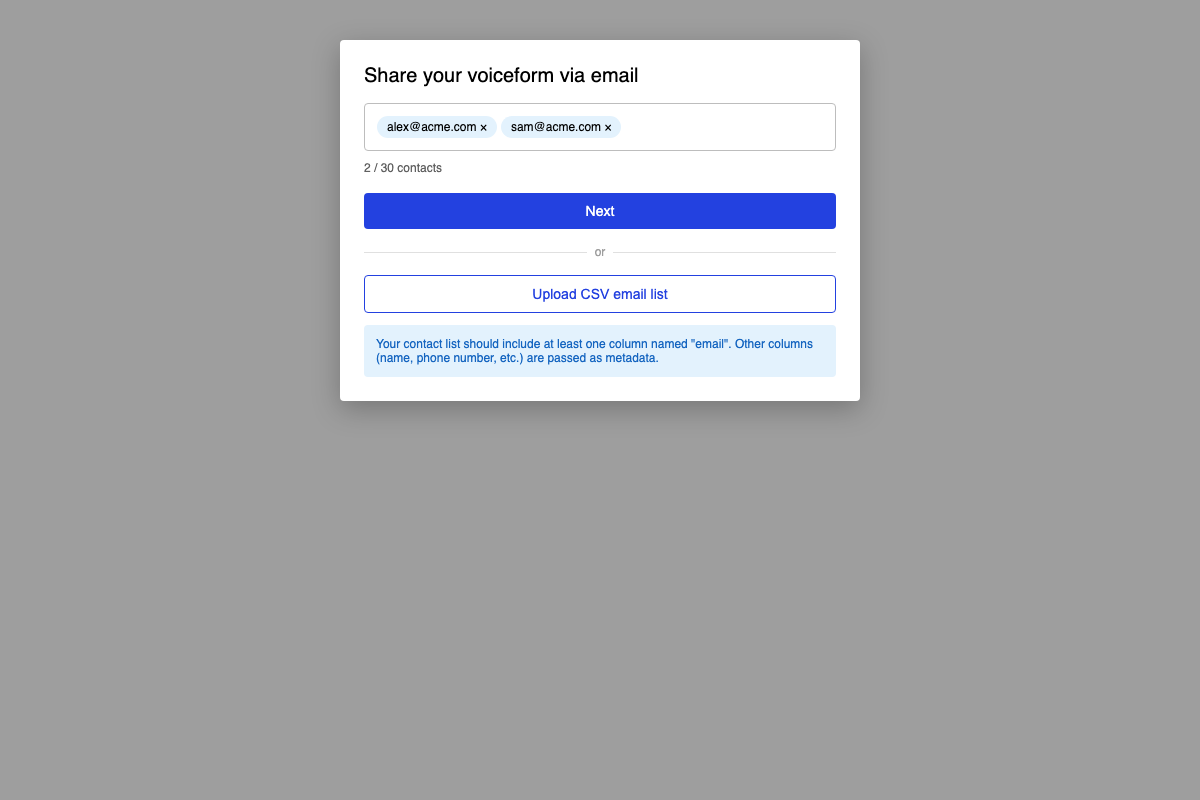
Add recipients
Enter emails manually
- Type addresses into Enter email addresses (comma, space, or Enter to add).
- Watch the contact counter (for example
3 / 30 contacts). - Click Next.
Upload a CSV
- Click Upload CSV email list.
- Include at least one column named
email. - Optionally add columns such as
name,phone number, and other details — Voiceform imports them as metadata for tracking. - Review the imported field chips, then continue.
Customize and send
- On Customize Email, set:
- Subject
- Title
- Body
- Call to action button text
- Click Send Emails.
Use Edit email list to go back and change recipients.
Related
Updated 3 months ago
Did this page help you?